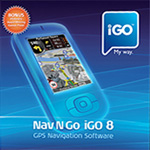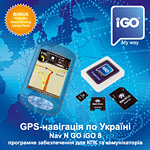
Програма iGO 8 користується заслуженою популярністю в усьому світі. Українським користувачам вона доступна з квітня 2008 року. Функції програми включають планування маршруту та детальні голосові підказки під час руху, зручний пошук за адресою та пошук об’єктів (POI), функцію імпорту POI та багато іншого.
Інтерфейс відрізняється привабливим дизайном та зручністю, він включає два режими: «простий» — для «новачків» та «розширений» — для досвідчених користувачів. У програмі реалізована справжня 3D-навігація з тривимірним відображенням будинків, історичних пам’яток, рельєфу та інших об’єктів.
Програма має попередньо встановлену карту України CarteBlanche™, за бажанням користувач може придбати додатково карти інших країн, або пакети карт всієї Європи чи Східної Європи. Як між різними областями України, так і між Україною та іншими державами маршрут розраховується автоматично і не вимагає перемикання карт при переході кордону. Розрахунок маршруту займає не більше кількох секунд.
Дружній інтерфейсПрограмне забезпечення iGO напрочуд легко освоїти. У програми зручний для використання дружній інтерфейс. Кожна функція чи налаштування можуть бути досягнуті за один-два дотики до екрану, незалежно від того, на якій сторінці програми ви знаходитесь. |
 |
Інтелектуальна клавіатураПрограма має інтелектуальну клавіатуру з великими кнопками, зручними для натискання пальцями. При вводі перших букв назви міста чи вулиці залишаються активними лише ті літери, для яких ще залишаються варіанти пошуку. Завдяки цій функції ви зможете швидко знайти потрібну адресу, об’єкт на карті чи пункт призначення, який ви раніше зберегли. |
 |
Мова меню та картКарта України українською, російською та англійською мовами. При виборі української чи російської мови інтерфейсу карта відображається обраною мовою, при виборі іншої з багатьох мов інтерфейсу — англійською. Пошук картою можна здійснювати будь-якою з підтримуваних нею мов, незалежно від обраної мови інтерфейсу. Мова голосових підказок обирається незалежно від мови інтерфейсу. |
 |
Автоматичне прокладання маршрутуНеобхідно лише встановити пункт призначення, і програма автоматично обере дороги для проїзду із врахуванням дорожніх знаків, розмітки, розв’язок та пріоритетності доріг. Ви можете створити маршрут через необхідну кількість проміжних пунктів, який буде найшвидшим, найкоротшим чи найбільш економічним. У випадку відхилення від рекомендованого маршруту програмне забезпечення автоматично розрахує для вас новий маршрут. |
 |
Багатоваріантний пошук та прокладання маршруту
|
 |
Параметри маршрутуПрограма дозволяє вибрати тип транспортного засобу (автомобіль, велосипед, пішохід тощо), виключення (ґрунтові дороги, розвороти тощо) для оптимального розрахунку маршруту. |
 |
Карти в режимі 2D и 3DПід час поїздки ви зможете орієнтуватися по майстерно зображеній двовимірній чи тривимірній карті, або ж довіритися своєчасним та якісним голосовим підказкам. |
 |
Інтелектуальне масштабуванняСправжнє задоволення користувач отримає від інтелектуальної системи масштабування карти, яка автоматично поступово наближає та нахиляє карту, так щоб користувач зміг зрозуміти, який маневр необхідно виконати далі. |
 |
Напрямок для вулиць з одностороннім рухомНові рішення в навігації дуже вдало поєднались з новим дизайном. Тепер на карті вказується напрямок руху для вулиць з одностороннім рухом. |
 |
Денний/нічний режими роботи картиРозробники iGO надали особливу увагу тому, щоб екран програми не тільки мав прекрасний вигляд, але і щоб він легко читався при будь-яких умовах. Для цього в програмі застосована функція автоматичного переходу з денного режиму до нічного і навпаки в момент заходу чи сходу Сонця. |
 |
Режим VGA з високою роздільною здатністю та з різними схемами кольорівВисока роздільна здатність у режимі VGA забезпечує відчуття перегляду традиційних паперових карт на комп’ютерному екрані. Різноманітність стилів оформлення дозволяє надати карті бажаного вигляду відповідно до вашого смаку. Крім того, ви можете вибрати вертикальну чи горизонтальну орієнтацію екрану на усіх навігаційних пристроях, сумісних з програмою, незалежно від операційної системи. |
 |
Тривимірні зображення будинків, рельєфу місцевостіГоловна особливість цієї версії — тривимірні зображення будинків, рельєфу місцевості та інших об’єктів. Програма дозволяє повертати карту на 360 градусів для більш зручного її зображення на екрані навігатора. |
 |
Зручне менюМожна вибрати «розширений режим» з багатьма налаштуваннями, що дозволяє прокладати маршрути через кілька проміжних пунктів, створювати власні об’єкти (POI) та багато іншого, або «простий режим» для «новачків», який значно спрощує використання програми непідготовленими користувачами. |
 |
Простий пошук за адресоюПошук за адресою дуже простий та зручний, можна обрати мову клавіатури з кількох можливих, незалежно від обраної мови меню програми. Як пункт призначення можна вибрати, наприклад, «центр міста». |
|
Пошук об’єктів (POI)Об’єкти (POI) — заправки, аптеки, магазини, готелі і т.д. — можна шукати не лише за адресою або назвою, а й вздовж запланованого маршруту або навколо обраної адреси чи точки на карті. Програма дозволяє визначити відстань та оптимальний шлях до об’єкта. На кожен з об’єктів (POI) є своя «візитка». Також є можливість імпортувати об’єкти у форматі CSV. |
|
Голосові підказкиГолосові підказки під час навігації по маршруту дозволяють зосередити увагу на дорожніх умовах, не ризикуючи помилитися у виборі вірного шляху. Програма пропонує на вибір 50 варіантів голосів 30-ма мовами, у тому числі 2 варіанти українською та 2 варіанти російською. |
 |
Автономна республіка Крим |
||
|---|---|---|
|
|
|
Вінницька область |
Волинська область |
Дніпропетровська область |
|
|
|
Донецька область |
||
|
|
|
Житомирська область |
Закарпатська область |
|
|
|
|
Запорізька область |
||
|
|
|
Івано-Франківська область |
||
|
|
|
Київська область |
||
|
|
|
| Білоцерківський район | ||
|
|
|
| Бориспільський район | ||
|
|
|
| Броварський район | ||
|
|
|
| Васильківський район | ||
|
|
|
| Вишгородський район | ||
|
|
|
| Кагарлицький район | ||
|
|
|
| Києво-Святошинський район | ||
|
|
|
| Макарівський район | ||
|
|
|
| Обухівський район | ||
|
|
|
| Переяслав-Хмельницький район | ||
|
|
|
Кіровоградська область |
Луганська область |
Львівська область |
|
|
|
Миколаївська область |
Одеська область |
Полтавська область |
|
|
|
Рівненська область |
Сумська область |
Тернопільська область |
|
|
|
Харківська область |
Херсонська область |
Хмельницька область |
|
|
|
Черкаська область |
Чернівецька область |
Чернігівська область |
|
|
|
Всі торгівельні марки, згадані на сайті, є власністю їх законних правовласників.
© 2005–2016 «Карт Бланш Україна»